
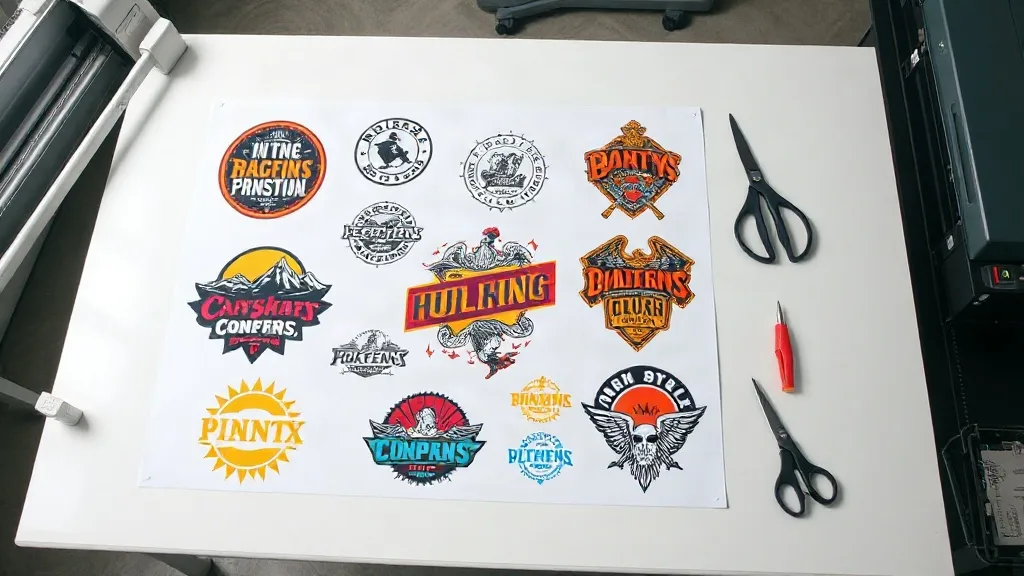
If you run a DTF printing business, you know the struggle: small orders can eat up your time and profit. Setting up a separate print for a single shirt or a handful of transfers feels wasteful, but turning down small jobs isn't an option either. That's where the DTF Gangsheet comes in. By combining multiple small designs onto one sheet, you can print more efficiently, reduce waste, and actually make money on those tiny orders. In this guide, we'll walk you through what gangsheets are, why they matter, and how to use them to your advantage.
What Is a DTF Gangsheet?
A DTF gangsheet is a single sheet of DTF film that contains multiple designs printed together. Instead of printing each design separately, you arrange them on one sheet, optimizing the space. This is especially useful when you have several small orders that would otherwise require individual setups. The gangsheet is then powdered, cured, and cut apart, giving you individual transfers ready to press.
The concept is similar to gang printing in offset lithography, where multiple jobs are combined on one press run to save time and materials. In DTF, gangsheets serve the same purpose: maximizing efficiency for small batches.
Why Use a DTF Gangsheet for Small Orders?
Small orders are the bread and butter of many print shops, but they can be a logistical headache. Here's why gangsheets are a game-changer:
- Cost efficiency: Printing one large sheet with many designs uses less film and powder per design compared to printing each separately.
- Time savings: You set up the printer once for multiple jobs, reducing prep time and manual intervention.
- Consistency: All designs on the sheet go through the same curing and powdering process, ensuring uniform quality.
- Reduced waste: By filling the sheet, you minimize unused film and excess powder.
For a deeper dive into gangsheets and their benefits, check out our detailed guide on DTF Gangsheet.
How to Create a DTF Gangsheet
Creating a gangsheet is straightforward if you follow these steps:
- Collect your designs: Gather all the small orders you want to combine. Make sure they are high resolution and properly sized.
- Arrange them in your design software: Use software like Photoshop or Illustrator to place the designs on a canvas that matches your film size. Leave a small gap between designs for cutting.
- Print the sheet: Send the file to your DTF printer. Ensure your printer is set to the correct film size and resolution.
- Apply powder and cure: Follow your standard DTF powdering and curing process. The entire sheet goes through at once.
- Cut and separate: Once cured, cut the designs apart. You can use a vinyl cutter or scissors, depending on your volume.
Pro tip: Nest your designs tightly to maximize the number of transfers per sheet. But don't overcrowd; leave enough room for clean cuts.
Common Mistakes to Avoid with DTF Gangsheets
Even experienced printers can slip up when using gangsheets. Watch out for these pitfalls:
- Overlapping designs: If designs touch, cutting becomes difficult and you risk damaging the transfers.
- Inconsistent spacing: Uneven gaps can lead to wasted space or cutting errors. Use guides in your software.
- Forgetting about color profiles: All designs on the sheet should use the same color profile to avoid color shifts.
- Ignoring film limits: Don't exceed the printable area of your film; otherwise, designs may be cut off.
Also, remember that gangsheets are not ideal for large orders of a single design; in that case, individual printing is more efficient.
Maximizing Efficiency with DTF Gangsheets
To get the most out of gangsheets, consider these strategies:
- Batch by material: Group designs that will be pressed onto similar fabrics to streamline your pressing workflow.
- Use nesting software: Some RIP software can automatically arrange designs to minimize waste.
- Standardize sizes: If possible, standardize the sizes of your designs to make arrangement quicker.
- Track your savings: Keep records of film and powder usage before and after adopting gangsheets to see the impact.
Many print shops find that gangsheets reduce their cost per transfer by 20-30%, especially for orders under 10 pieces.
DTF Gangsheet vs. Individual Printing: A Quick Comparison
Here's a side-by-side look at how gangsheets stack up against printing each design separately:
- Setup time: Gangsheets win for multiple small designs; individual printing is faster for a single large order.
- Material usage: Gangsheets reduce waste by filling the sheet; individual printing may leave unused film.
- Labor: Gangsheets require more upfront arrangement but less hands-on time during printing.
- Flexibility: Individual printing allows on-the-fly changes; gangsheets need planning.
For most shops dealing with a mix of small orders, gangsheets offer a clear advantage.
Frequently Asked Questions
Can I use a DTF gangsheet for orders with different fabrics?
Yes, but you'll need to adjust your pressing parameters for each fabric type. The transfers themselves are the same, but pressing temperature and time may vary. It's often easier to group designs by fabric to streamline pressing.
How do I ensure accurate color matching across a gangsheet?
Use the same color profile for all designs and calibrate your printer regularly. Also, avoid mixing designs with vastly different color requirements on the same sheet, as this can complicate profiling.
What's the maximum size for a DTF gangsheet?
It depends on your printer's maximum film width and length. Common widths are 13, 17, and 24 inches, with lengths up to several feet. Check your printer's specifications.
Can I reuse leftover space on a gangsheet?
No, once a sheet is printed and cured, the unused areas cannot be reused. That's why it's important to plan your layout carefully to minimize waste.
Is a DTF gangsheet suitable for one-off custom orders?
Absolutely. Gangsheets are perfect for one-offs because you can combine multiple one-off orders from different customers onto a single sheet, spreading the setup cost.
Ready to streamline your small orders? Try incorporating DTF gangsheets into your workflow and see the difference in your bottom line. For more tips and tricks, explore our resources at DTF Creative Hub.