
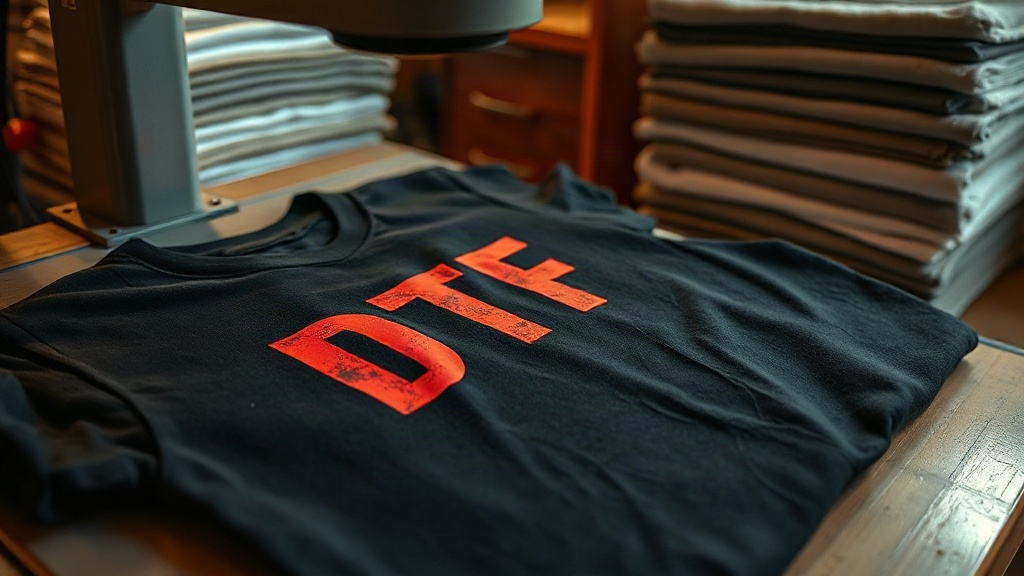
When you pull a fresh DTF transfer off the press and peel back the film, the last thing you want is a cracked, faded print after a few washes. If you're printing on Shaka Wear or Smart Blanks, you already know these blanks are popular for their quality and price. But getting a DTF transfer to bond perfectly? That depends on understanding the fabric and dialing in your process. In this guide, I'll walk you through everything I've learned from countless hours of pressing transfers onto these blanks, so you can achieve professional results every time.
Why DTF Transfers Work Well with Shaka Wear and Smart Blanks
DTF transfers have exploded in popularity because they adhere to almost any fabric, including cotton, polyester, and blends. Shaka Wear and Smart Blanks are two of the most common blanks used by screen printers and DTF enthusiasts alike. Shaka Wear is known for its heavyweight cotton tees, often 6.0 oz or heavier, which provide a substantial feel and excellent canvas for DTF prints. Smart Blanks, on the other hand, offers a range of budget-friendly options that still deliver consistent quality. Both take DTF transfers beautifully, but each has its own quirks.
One key advantage of DTF is that it doesn't require pre-treatment like DTG. That means less equipment and fewer steps. However, the adhesive powder used in DTF transfers needs to melt and bond with the fabric fibers. On 100% cotton like most Shaka Wear tees, the bond is usually strong. On poly blends, you might need to adjust temperature and pressure to avoid scorching or poor adhesion.
Fabric Composition Matters
Before you press, always check the fabric content. Shaka Wear typically uses 100% cotton or cotton/poly blends. Smart Blanks often has similar options. If you're working with a 50/50 blend, you'll want to lower your press temperature slightly to prevent the polyester from melting or the print from looking dull. For 100% cotton, you can go a bit hotter to ensure the adhesive fully cures.
Step-by-Step DTF Application on Shaka Wear and Smart Blanks
Here's my go-to process for pressing DTF transfers onto these blanks. I've refined it over time to minimize errors and maximize durability.
- Pre-press the garment: This removes moisture and wrinkles. Set your heat press to 300°F (150°C) and press for 5-10 seconds. For Shaka Wear heavyweight tees, you might need a few extra seconds because of the fabric thickness.
- Position the transfer: Place the DTF transfer with the printed side facing up. If you're using a transfer with a carrier film, make sure the adhesive side is against the fabric.
- Press with medium-heavy pressure: Set temperature to 325°F (160°C) for cotton, or 300°F (150°C) for blends. Press for 15-20 seconds. Pressure is crucial: too little and the transfer won't adhere; too much and the image can spread or the fabric can scorch.
- Peel while hot or cold? Most DTF transfers are cold peel, meaning you wait until the transfer cools completely before peeling. This prevents the ink from stretching or cracking. However, some newer films are hot peel. Always check the instructions from your transfer supplier.
- Post-press for durability: After peeling, cover the print with parchment paper or a Teflon sheet and press again for 5-10 seconds. This ensures the adhesive fully cures and the print becomes wash-resistant.
I've found that Shaka Wear's heavier fabrics sometimes require a second post-press to get the edges to seal perfectly. Smart Blanks, being a bit lighter, usually need just one pass. But always test on a scrap piece first.
Temperature and Pressure Settings for Different Blends
Here's a quick reference table (in text form) for common fabric types you'll encounter with these blanks:
- 100% Cotton (Shaka Wear 6.0 oz): 325°F, 20 seconds, medium-high pressure, cold peel.
- Cotton/Poly 50/50 (Smart Blanks): 300°F, 15 seconds, medium pressure, cold peel.
- Tri-blend (if available): 280°F, 15 seconds, medium pressure, cold peel.
These are starting points. Every press is different, so calibrate with a temperature gun if possible.
Common Problems and How to Fix Them
Even with experience, issues pop up. Here are the most frequent ones I've seen when applying DTF transfers to Shaka Wear and Smart Blanks.
Print Peeling or Lifting
If the transfer peels off after washing, it's usually due to insufficient pressure, temperature, or time. Increase one variable at a time. Also, ensure the garment is completely dry before pressing. Moisture creates steam that prevents proper adhesion.
Cracking or Fading
Cracking often happens if you stretch the print while peeling it hot. Always let it cool. Fading can occur if the transfer is overheated, causing the ink to degrade. Stick to the recommended temperature and avoid pressing for too long.
Adhesive Residue on the Film
If you see a lot of adhesive left on the carrier film after peeling, it means the powder didn't fully melt. This can happen if the transfer is old or if the temperature was too low. Try increasing the temperature by 10°F and see if that helps.
Design Tips for DTF Transfers on These Blanks
Now that you've got the technical side down, let's talk design. DTF transfers allow for incredible detail and color gradients, so you can go wild with your artwork. But keep in mind the fabric color. On dark Shaka Wear tees, you'll need a white underbase in your transfer to make colors pop. Most DTF transfers already include a white layer, but if you're printing your own, make sure to add it. For light Smart Blanks, you can sometimes get away with less white, saving ink.
Also, consider the size. Large prints on heavyweight Shaka Wear look great, but they can feel stiff if the transfer is too thick. Try to keep the ink layers thin. And always mirror your design if you're printing your own transfers.
Frequently Asked Questions
Can I use DTF transfers on Shaka Wear's 100% cotton tees?
Absolutely. Shaka Wear's 100% cotton tees are ideal for DTF transfers because the cotton fibers bond well with the adhesive. Just use a temperature around 325°F and medium-high pressure for best results.
What's the best way to wash a DTF-printed Smart Blanks shirt?
Turn the shirt inside out and wash in cold water with mild detergent. Avoid fabric softener and bleach. Tumble dry on low or hang dry. This will keep the print looking new for a long time.
Do I need a special heat press for DTF transfers on these blanks?
No, a standard heat press works fine. Just make sure it can reach the required temperature and has consistent pressure. A clamshell or swing-away press both work; swing-away is often preferred for even pressure.
How do I prevent the transfer from sticking to the top platen?
Use a Teflon sheet or parchment paper between the transfer and the top platen. This also protects your press from ink residue.
Can I layer DTF transfers on Shaka Wear for a multi-color design?
Yes, you can layer DTF transfers, but it's tricky. It's better to use a single transfer with all colors printed. If you must layer, press the first transfer, cool, peel, then press the second on top, using a slightly lower temperature to avoid disturbing the first layer.
With these tips, you're well on your way to creating stunning, durable apparel with DTF transfers on Shaka Wear and Smart Blanks. Remember, practice makes perfect, so don't be afraid to experiment. Happy pressing!